

When a technician leaves or changes trucks, count the truck before the handoff, settle any open requests and transfers, assign a new responsible person, and restock the truck to its truck type before the next tech starts. That way the new tech starts with an accurate, full truck, and nothing gets lost in the shuffle.
Late summer is a common time for changes. Techs move to new roles, seasonal help wraps up, and new hires get ready for fall. A truck handoff is one of the easiest moments to lose track of parts, because the person who knew the truck best is no longer driving it. A short, repeatable process fixes that. Our post on who should own truck inventory explains why every truck needs one responsible person.
The Handoff Checklist
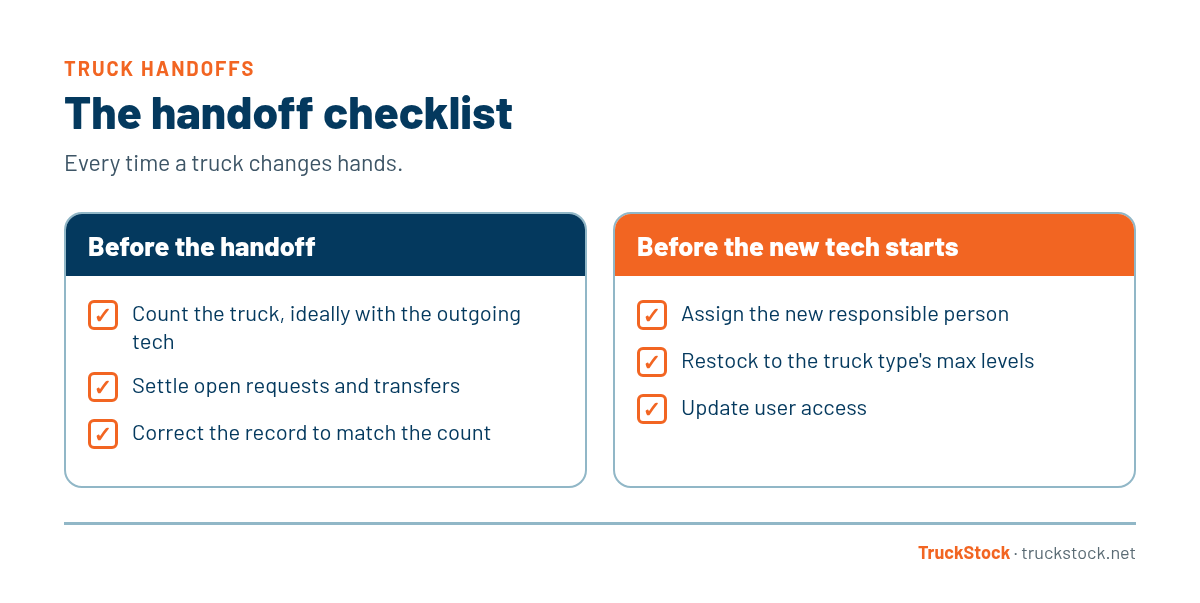
How to Handle a Handoff, Step by Step
1. Count the truck with the outgoing tech
If possible, count the truck together before the tech leaves it. They know where things are and can explain any gaps. If that isn’t possible, count it as soon as it’s back at the shop. The steps in doing a full inventory count apply.
2. Settle open requests and transfers
Check for restocks that were sent but not received, transfers that haven’t been accepted, and parts used but not recorded. Clear those up so the count starts clean.
3. Correct the record
Update the truck’s inventory to match the count. If there are gaps, note them, but don’t let them hold up the handoff. Here’s what to do when counts don’t match.
4. Assign the new responsible person
Make it clear who owns the truck now. If there’s a gap before the new tech starts, assign it temporarily to a manager so it’s never ownerless.
5. Restock to the truck type
Fill the truck back to its max levels so the new tech starts with a full truck. If the truck is changing roles, update its truck type first. Our post on setting up a new truck covers the options.
6. Update user access
If the tech is leaving the company, remove or deactivate their access. If they’re moving to a new role, adjust their permissions to match.
Why Handoffs Go Wrong
Most handoff problems come from timing. The outgoing tech is busy wrapping up, the incoming tech is eager to get started, and nobody stops to count. A few weeks later, the new tech finds the truck is missing parts that the system says are there, and nobody knows when they went missing.
A short checklist, done every time, avoids that. It also protects the outgoing tech, because a count at handoff shows exactly what they left behind, and it gives the incoming tech a fair start.
A Quick Example
Picture a tech moving from a service truck to an install role. On his last day in the truck, he and the service manager count it together and find two parts used on a job that were never recorded. They record them, check that no restocks are waiting, and correct the count. The truck is assigned to the incoming tech, restocked to its max overnight, and handed over Monday morning with a full, accurate inventory.
Common Mistakes
- Handing over the keys without a count.
- Leaving open requests and transfers unsettled.
- Letting a truck sit without a responsible person.
- Starting the new tech with a half-empty truck.
- Forgetting to update user access when someone leaves.
How TruckStock Handles It
- Responsible person per truck. Each truck has a responsible person, and you can change it when a truck changes hands.
- Pending requests and transfers. See what’s waiting to be received or accepted before the handoff.
- Edit inventory and fill to max. Correct counts and fill the truck back to its truck type’s max levels.
- Deactivate, don’t delete. Trucks are deactivated rather than deleted, so their history stays intact if a truck is retired.
Key Takeaways
- Count the truck at every handoff.
- Settle open requests and transfers first.
- Never leave a truck without a responsible person.
- Restock to the truck type before the new tech starts.
- Update user access when someone leaves or changes roles.
Frequently Asked Questions
Should a departing tech be present for the truck count?
If possible, yes. They can explain gaps and point out where things are. If not, count the truck as soon as it’s back.
What if parts are missing at the handoff?
Note the gaps, correct the record, and look at what caused them. Don’t let it hold up getting the truck back on the road.
Who owns the truck between techs?
Assign it to a manager temporarily so it always has a responsible person.
Should I restock the truck before the new tech starts?
Yes. A full truck on day one makes a good first impression and avoids early trips to the shop.
Want smoother truck handoffs? Start a free TruckStock trial or contact our team.
Recent Comments