
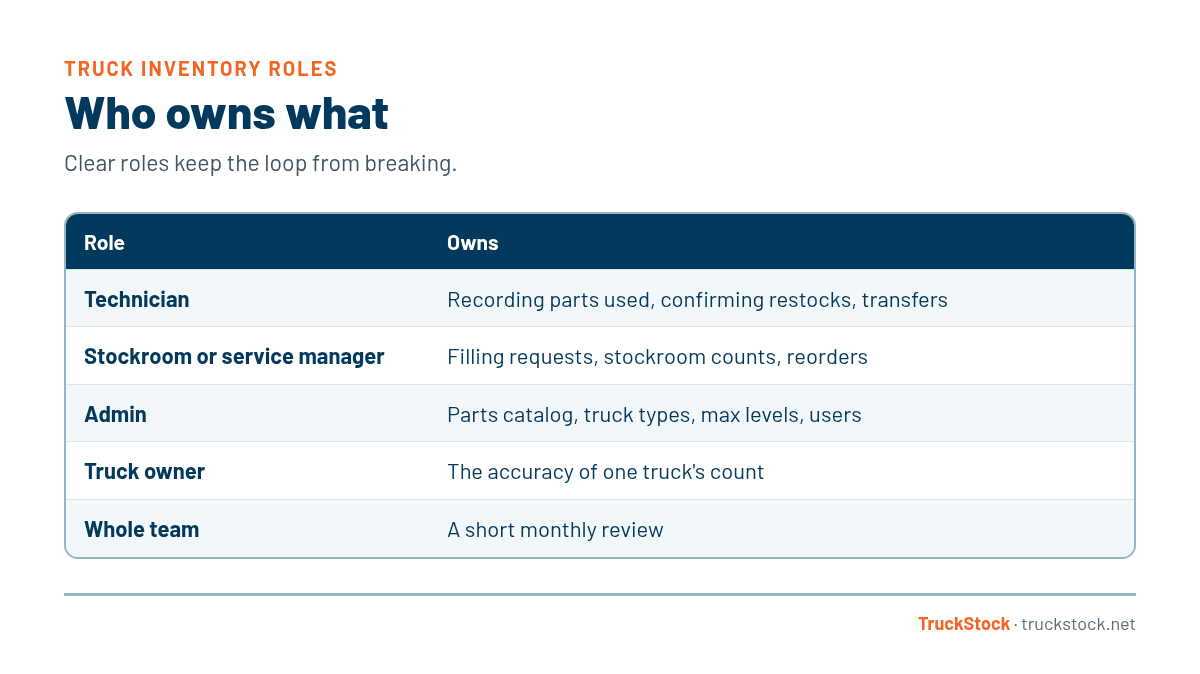
Truck inventory works best when ownership is split by job. Technicians own recording parts they use and confirming what they receive. The stockroom or service manager owns filling requests. An admin owns the parts lists, max levels, and reports. Each truck also has one named person responsible for its count.
When inventory belongs to “everyone,” it belongs to no one. Techs assume the office is tracking it, the office assumes techs are recording it, and the stockroom fills whatever it hears about. Clear roles fix that. They also make problems easier to solve, because when something is off, you know who to ask. Our post on scaling with multiple users and truck types touches on how roles grow with a fleet.
Who Owns What
How to Set Up Clear Ownership
1. Write down the roles
Put it on one page: who records parts, who fills requests, who confirms receipt, who manages lists and levels, and who reviews reports. It sounds simple, but most shops have never written it down, and that’s where confusion starts.
Share that page with every new hire as part of onboarding, and post it where the stockroom team can see it. When roles change, update it. A one-page reference ends a lot of arguments before they start.
2. Name an owner for every truck
Each truck needs one person responsible for its count, usually the tech who drives it most. For shared trucks, pick one person anyway and add a quick check at each handoff. We cover shared and changing trucks in more detail in our post on reducing lost and missing parts.
3. Give one admin the master lists
Someone needs to own the parts catalog, truck types, and max levels. Without one owner, lists get changed by whoever has an opinion that day. That person can take input from everyone, but they make the final call. Start with how to organize a parts catalog.
4. Match access to the role
Techs need to request, receive, and transfer parts for their own trucks. Managers need to fulfill and see reports. Admins need to change settings. Keeping access matched to the job keeps mistakes down.
5. Review together
Once a month, get the roles in a room for fifteen minutes. Look at what ran out, what’s piling up, and what’s not getting recorded. Shared problems get solved faster when everyone sees the same picture.
A Quick Example
Say a part keeps running out on one truck. With clear roles, the conversation is quick: the admin checks the max level, the stockroom checks whether requests were filled on time, and the tech checks whether parts were recorded. Within a few minutes you know which link in the chain broke. Without clear roles, it turns into a week of finger-pointing.
Common Mistakes
- Assuming the office is tracking what techs never recorded.
- No named owner for shared trucks.
- Letting anyone edit parts lists and max levels.
- Giving everyone the same access, regardless of role.
- Never reviewing inventory as a team.
How TruckStock Handles It
- Roles built in. Technicians request, receive, and transfer parts. Managers fulfill requests and run reports. Company Admins manage settings, users, trucks, parts, and stockrooms.
- Access builds up. A manager sees everything a technician sees, and an admin sees everything a manager sees.
- A responsible person per truck. Each truck can have a named person responsible for it.
- Roles per company. One person can belong to several companies with a different role in each, which helps multi-company groups.
Key Takeaways
- Split ownership by job: techs, stockroom, and an admin.
- Name one owner for every truck, even shared ones.
- Give one admin the final say on lists and levels.
- Match access to each person’s role.
- Review inventory together once a month.
Frequently Asked Questions
Should technicians be responsible for their own truck inventory?
For recording what they use and confirming what they receive, yes. The parts list and max levels are better owned by an admin, so every truck of the same type stays consistent.
Who should approve changes to truck stock lists?
One admin or service manager, with input from techs and the stockroom. A single owner keeps lists consistent.
What if we don’t have a dedicated stockroom person?
Assign fulfillment to a service manager or a lead tech, and set a regular time for it. The role matters more than the title.
How do roles change as the company grows?
Small shops often have one person wearing several hats. As you add trucks, splitting roles across more people keeps the process from depending on one person.
Want to see how roles work in practice? Start a free TruckStock trial or contact our team.
Recent Comments