

Pick a cutoff date in the slow stretch between Thanksgiving and New Year’s, count every truck and the stockroom in one pass, and compare the counts to your system. Fix the differences, decide what to do with parts that haven’t moved, and start January with numbers you trust.
The timing matters more this year. ACHR News reported on November 13 that, according to the Bureau of Labor Statistics Producer Price Index, prices for U.S.-made air-conditioning and heat-transfer equipment parts and accessories rose 9.2% between October 2024 and September 2026. When parts cost more than they did a year ago, an inaccurate count costs more too.
Here’s a simple way to run a year-end count without shutting down the trucks.
Why Do a Year-End Count at All?
- Your books need a number. Many companies want an accurate parts total at year end for their accountant or lender.
- Small errors pile up. A part missed here and there adds up across a fleet over twelve months.
- It’s a natural reset. Winter calls are busy, but the weeks around the holidays are often quieter, which makes it easier to pull trucks in.
Six Steps for a Year-End Truck Count
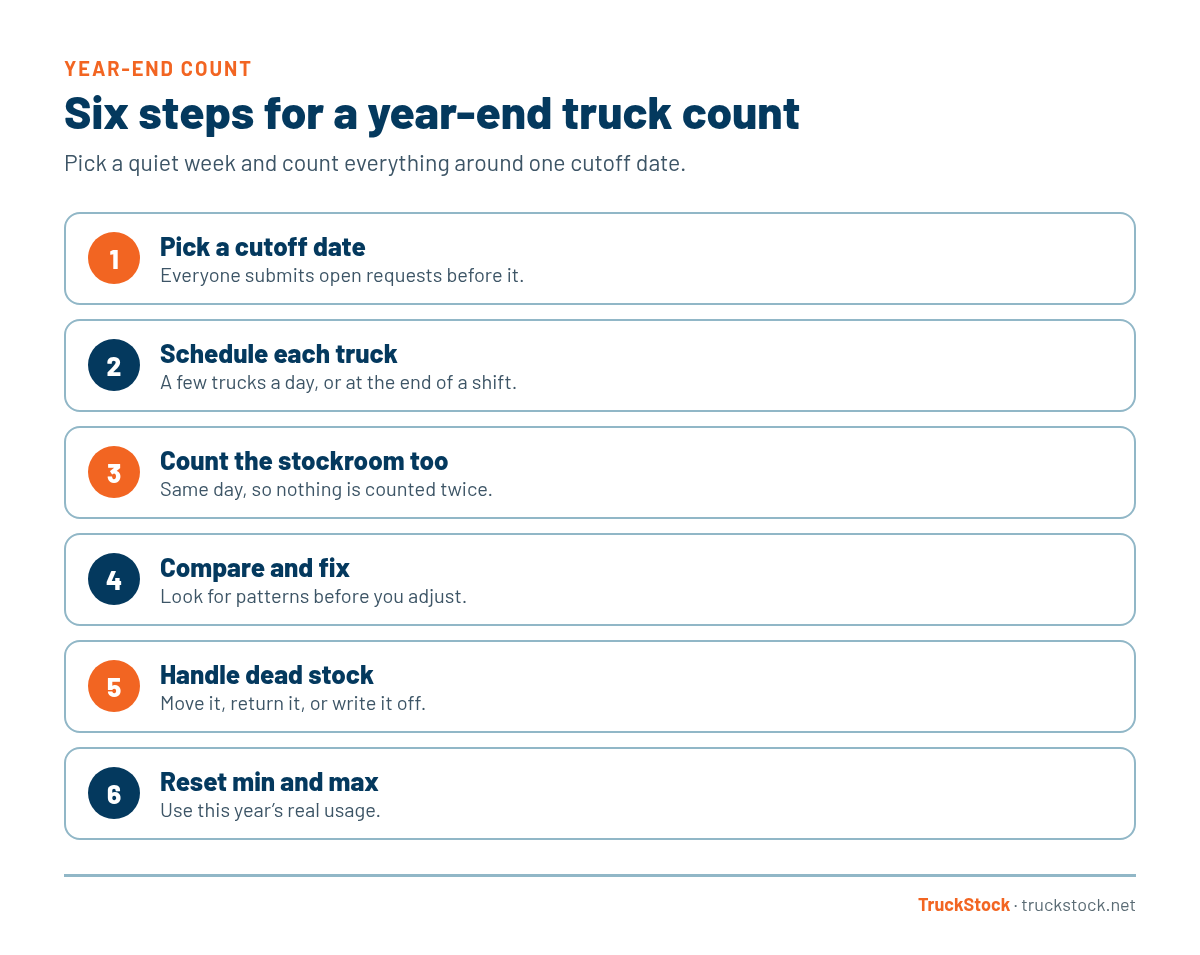
1. Pick a cutoff date and tell everyone
Choose one day, and have techs submit any open requests before it. Anything requested or transferred after the cutoff belongs in the new year. This keeps the count from chasing a moving target.
2. Schedule each truck
Bring trucks in a few at a time, or ask techs to count at the end of a shift. Slow days around the holidays work well. For a full walkthrough of counting a single truck, see our guide to a full inventory count on a service truck.
3. Count the stockroom the same day
Count the stockroom on the cutoff date too. If trucks and stockroom are counted on different days, parts that moved in between get counted twice or not at all.
4. Compare counts to the system and fix the differences
Check each truck against what the system says it should have. Look for patterns before you adjust anything, since one truck missing the same part again and again points to a process problem. Here’s what to do when truck counts do not match the system.
5. Deal with dead stock
The count shows you parts that haven’t been used all year. Decide whether to move them to a truck that needs them, return them, or write them off. See how to reduce dead stock on service trucks.
6. Reset min and max levels for the new year
Use this year’s real usage to adjust your levels, so trucks start January with the right amounts. Our guide to setting min and max levels shows how.
What to Have Ready Before You Start
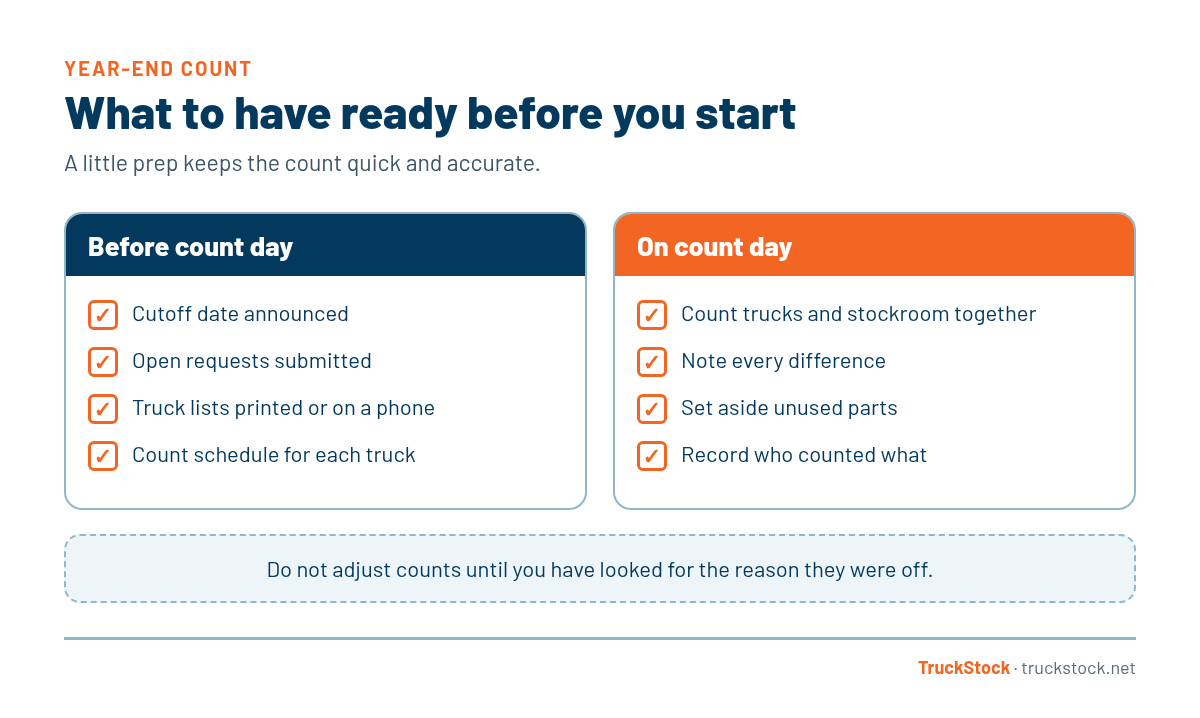
A little prep makes the count go faster and keeps it accurate.
A Quick Example
Picture a company with twelve trucks that picks Monday, December 29 as its cutoff. The week before, the stockroom manager prints each truck’s list and tells techs to submit open requests by Friday. Four trucks come in each morning that week. On Monday the stockroom is counted. Two trucks are off by a few parts, and one tech’s truck is missing the same fittings it’s missed all year. The manager fixes the counts, moves a box of unused parts to a truck that needs them, and updates the max levels for January.
Common Mistakes
- Counting trucks and stockroom on different days.
- Adjusting counts without looking for the reason they were off.
- Skipping the dead stock decision, so the same parts get counted again next year.
- Waiting until the last week of December, when everyone is out.
How TruckStock Helps
- Available Stock report. Pick a truck and see each part’s quantity against its max, so you know what the system expects before you count.
- Edit Inventory. Adjust a truck’s counts directly once you’ve found the differences.
- Request, fulfill, receive. Techs confirm what arrived, so counts stay close to real all year.
- Transfer Stock. Move unused parts to the truck that needs them and keep both trucks accurate.
Key Takeaways
- Choose one cutoff date and count trucks and stockroom around it.
- Use the quiet weeks around the holidays.
- Look for patterns before you adjust counts.
- Decide what to do with dead stock while the parts are in front of you.
- Reset min and max levels using this year’s real usage.
Frequently Asked Questions
When is the best time to do a year-end truck count?
Many companies choose the quiet days between Thanksgiving and New Year’s, or the last few business days of December. Pick the time your trucks are least busy.
Do I need to count every truck on the same day?
Not always. Counting trucks on different days works if you freeze requests and transfers at the cutoff date and count the stockroom to match.
How long does a year-end count take?
It depends on how many trucks you have and how organized they are. A well-kept truck is usually much faster to count than one that hasn’t been checked in months.
What if the counts are way off?
Look for patterns first, such as one truck or one part. Our post on what to do when truck counts do not match the system walks through finding the cause.
Want next year to start with trucks you can trust? Start a free TruckStock trial or contact our team.
Recent Comments