
Bring your technicians and managers into TruckStock by inviting them by email. This guide shows you where to find your users and how to send invites.
Before you start
- Who can do this: company admins, since users are managed from the Administration page.
- What you need: the email addresses of the people you want to invite.
Steps
1. Open Manage Users
Click Administration, then MANAGE USERS in the Company group. The Users list shows each person’s Name, Email, Role and Assigned Trucks.

2. Open Invite Users
Click Invite Users at the top of the page to open the invite form.
3. Enter email addresses and send
Type one or more email addresses in the box, separated by commas, then click SEND INVITES.
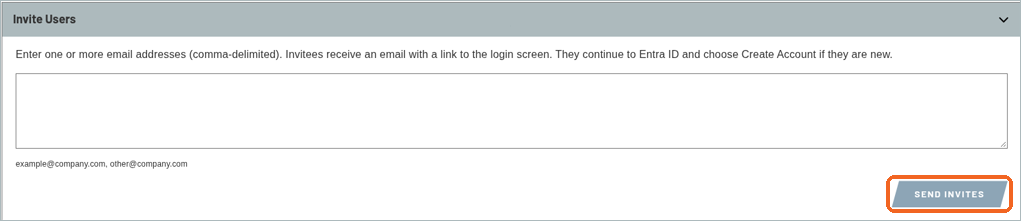
Note: SEND INVITES emails each address a link to sign in. People who are new to TruckStock choose Create Account to set up their account.
4. Check Pending Invites
The Pending Invites section is just below the invite form. It shows No pending invitations. when there are none.

What’s next
Next up: How to Request Items.
Recent Comments