
To tie parts used to specific jobs, have technicians enter the job number every time they record parts, using the same number your scheduling or billing system uses. Add a department or job type if you want to sort further, and review parts by job in your reports to catch missed billing and spot patterns.
When parts are recorded without a job, you know what left the truck but not why. That makes it hard to bill accurately, hard to understand job costs, and hard to answer simple questions like “what do our water heater installs actually use?” Tying parts to jobs fixes all three, and it’s one of the easiest habits to build because techs already know the job they’re on. It also makes your usage reports far more useful.
Why Tying Parts to Jobs Matters
- Billing. Parts that never make it onto an invoice are lost money. A job number on every request makes them easy to catch.
- Job costing. You can see what each type of job really uses, which helps with pricing and estimates.
- Accountability. Every part used has a reason attached, which shrinks unexplained gaps.
- Better stocking. Knowing which job types use which parts helps you set truck levels.
How to Set It Up, Step by Step
1. Use the job number you already have
Don’t invent a new numbering system. Use the job or work order number from your scheduling or billing software, so it’s easy to match parts to invoices later. If techs see that number on their schedule, they can type it in seconds.
2. Make the job number required
If it’s optional, it will be skipped on busy days. Making it required on every parts request is the simplest way to get consistent data. For the rare case without a job, like restocking a truck for no specific call, agree on a standard placeholder.
3. Add departments if they help
Departments, like service, install, or maintenance, give you another way to sort parts usage. Only add them if someone will actually use the reports. Extra fields nobody reads just slow techs down.
4. Review parts by job every week
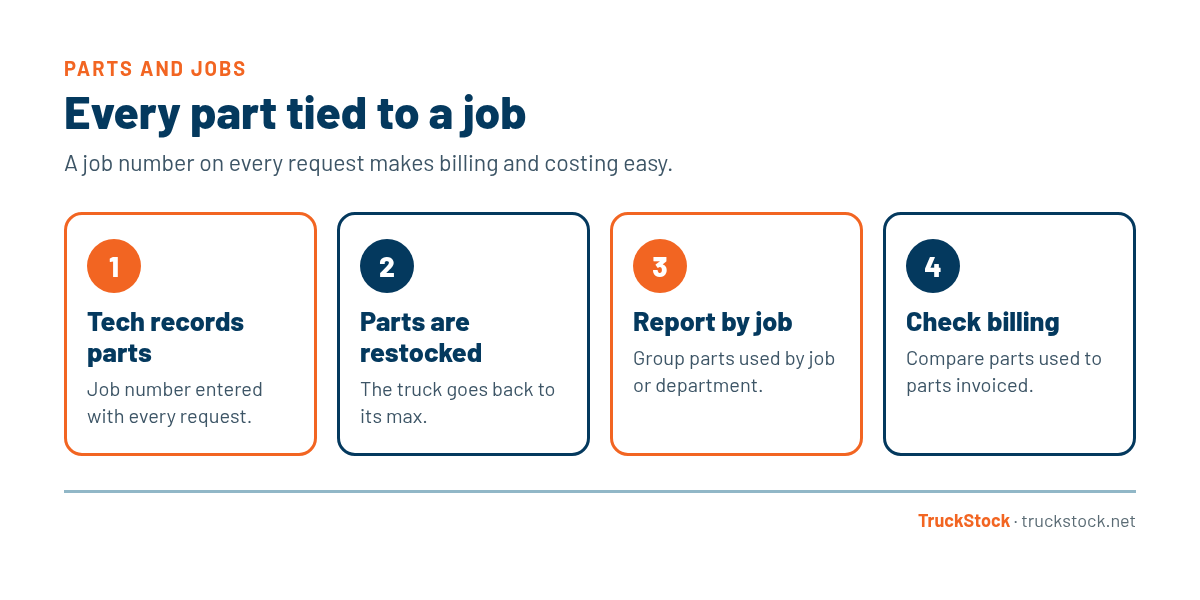
Look at parts used by job and compare them to what was billed. Missing parts on invoices show up quickly. Over time, you’ll also see which job types use the most parts, which helps with setting truck levels.
5. Share what you learn
When the data shows something useful, like a job type that always needs a part techs don’t carry, share it with the team. It shows techs their entries are being used, which keeps the habit strong.
Common Mistakes
- Making the job number optional and getting it half the time.
- Using a different numbering system than your billing software.
- Adding too many required fields, so techs rush through them.
- Never comparing parts used to parts billed.
- Collecting job data but never sharing what it shows.
A Quick Example
Say a tech replaces a capacitor and a contactor on a no-cool call but the invoice only lists the capacitor. With a job number on the parts request, the weekly comparison catches it, and the office can correct the invoice before it goes out. Without it, that contactor just disappears from the truck with no explanation.
How TruckStock Handles It
- Job number on every request. Techs enter a job number when they request parts, along with an optional note and customer name and address.
- Required or optional, your choice. Admins decide whether job number and department are required for their company.
- Departments. Set up departments to sort requests for reporting.
- Reports by job. The Items Requested report can be grouped by job, department, truck, part, or supplier for any date range, and downloads to Excel.
Key Takeaways
- Record a job number with every parts request.
- Use the same job number as your billing system.
- Make it required so it’s always there.
- Add departments only if you’ll use them.
- Compare parts used to parts billed every week.
Frequently Asked Questions
What if a tech uses parts without a job, like fixing the truck?
Agree on a standard placeholder, such as a shop or internal job number, so those parts are still recorded and easy to filter out of job reports.
Should departments be required too?
Only if you use them in reporting. If not, keep them optional or skip them to keep requests quick.
How does tying parts to jobs help with billing?
It gives you a list of parts used on each job that you can check against the invoice. Anything used but not billed is easy to spot and fix.
Can I see which job types use the most parts?
Yes, if job numbers or departments are recorded consistently. Group your parts report by job or department to see the patterns.
Want to see parts by job in a real report? Start a free TruckStock trial with sample requests already loaded, or contact our team.
Recent Comments