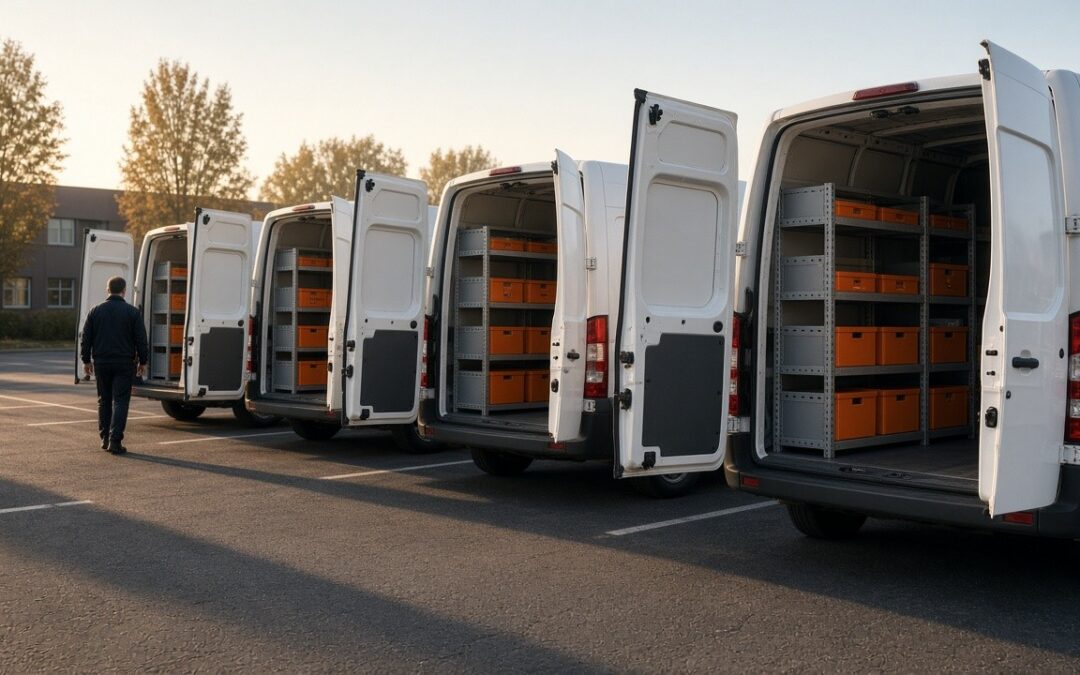
To standardize truck inventory across multiple locations, use one shared parts catalog, define truck types with standard parts lists and max levels that every branch uses, give each branch its own stockroom, and allow a short, documented list of local exceptions. Then review usage by branch to keep the standard honest.
When a company grows from one shop to several, each branch tends to develop its own way of doing things. Different part names, different truck setups, different restock habits. That makes it hard to move techs between branches, compare results, or buy in volume. Standardizing doesn’t mean every branch is identical. It means everyone starts from the same baseline. Our post on scaling with multiple truck types covers the single-shop version of this.
What to Standardize and What to Leave Local

How to Standardize, Step by Step
1. Start with one catalog
Every branch should use the same part names and numbers. This is the foundation for everything else, and it’s usually the most work. Here’s how to organize a parts catalog.
2. Agree on truck types
Get service managers from each branch together and agree on the standard truck types and their parts lists. Use usage from all branches, not just the largest one. People follow a standard they helped build.
3. Give each branch its own stockroom
Each branch needs its own stockroom with its own counts. That keeps restocking local and fast, while the parts and truck types stay the same everywhere.
4. Document local exceptions
Some branches need something different, like a part for older equipment common in their area. Allow it, but write it down. A short list of known exceptions is fine. A hundred undocumented ones means there’s no standard.
5. Compare branches
With the same catalog and truck types, you can compare usage across branches. Big differences are worth a conversation. Sometimes a branch has found a better way. Sometimes it’s a sign of a problem. Our post on reporting on parts usage explains what to look for.
A Quick Example
Picture a company that acquires a second shop in a nearby town. The new shop has its own part names and stocks trucks its own way. Rather than forcing everything at once, the company maps the new shop’s parts to the shared catalog, assigns its trucks to the standard truck types, and keeps two local exceptions for equipment that’s common in that area. Within a few weeks, techs can cover for each other between branches without relearning the truck.
Common Mistakes
- Letting each branch keep its own part names.
- Building the standard from one branch and imposing it on the rest.
- Sharing one stockroom count across branches that are miles apart.
- Allowing exceptions without writing them down.
- Never comparing branches once the standard is in place.
Why Standardizing Pays Off
A shared standard makes it easy to move techs between branches. A tech who covers a shift at another location finds the same parts in the same truck setup, and can get to work without a tour. That flexibility matters most during busy seasons, when one branch is slammed and another has room.
It also makes purchasing simpler. When every branch uses the same part numbers, you can see total usage across the company and have better conversations with suppliers. And new hires learn one system, no matter which branch they start at.
Finally, it gives you a fair way to compare branches. When the catalog and truck types are the same, differences in usage mean something. Without a shared baseline, every comparison turns into a debate about whose numbers are right.
How TruckStock Handles It
- Shared catalog and truck types. Parts, categories, and truck types with max levels are managed in one place for the company.
- Multiple stockrooms. Set up a stockroom for each branch, each with its own counts.
- Departments. Use departments to sort requests and reports in a way that fits your organization.
- Multi-company users. For groups that run separate companies, one person can belong to several companies with a different role in each.
Key Takeaways
- Use one parts catalog across every location.
- Build standard truck types together with every branch.
- Give each branch its own stockroom.
- Allow a short, documented list of local exceptions.
- Compare usage across branches to keep the standard honest.
Frequently Asked Questions
Should every branch carry identical truck stock?
Every truck of the same type should start from the same list. Branches can have a few documented exceptions for local needs.
How do I standardize after acquiring a new company?
Start by mapping their parts to your catalog, then assign their trucks to your standard truck types, and keep a short list of local exceptions while the team adjusts.
Who should own the standard across locations?
One person or a small group at the company level, with input from each branch’s service manager.
Do multiple locations need separate stockrooms?
If they’re far enough apart that trucks restock locally, yes. Separate counts keep each branch’s restocking accurate.
Running more than one location? Start a free TruckStock trial or talk with our team about multi-location setups.
Recent Comments