
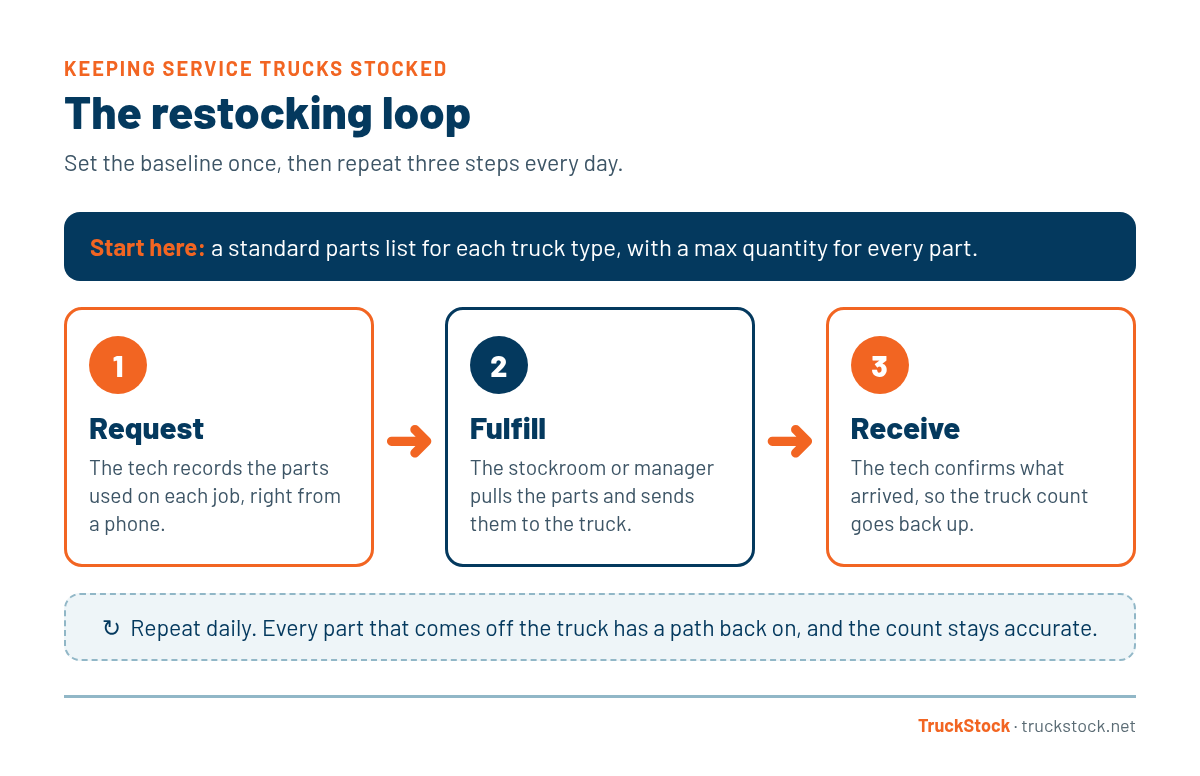
To keep service trucks stocked, give every truck a standard parts list with a max quantity for each part, have technicians record what they use at each job, and restock from the shop on a set routine. Then have the technician confirm what actually arrived on the truck. That closed loop of request, fulfill, and receive is what keeps trucks ready day after day.
Most fleets already know a well-stocked truck matters. Every missing part means a return trip or a rescheduled customer (here’s how missing one part can cost hundreds of dollars). The hard part is building a routine simple enough that people actually follow it.
Why Trucks Run Out in the First Place
The same few causes show up in most fleets:
- No standard list. Each tech stocks their truck their own way, so nobody knows what “full” looks like.
- Usage gets recorded late, or never. Parts come off the truck on Monday and nobody hears about it until Friday.
- Restocking runs on memory. The stockroom refills what it remembers, not what was used.
- Nobody confirms what arrived. Parts get sent, but if they never make it onto the truck, the count is wrong from then on.
A 5-Step Routine for Keeping Service Trucks Stocked
1. Build a standard stock list for each type of truck
Start with the parts your techs reach for most often, based on real job history. An HVAC service truck, a plumbing van, and an electrical van will each need their own list. Every truck of the same type should carry the same list. We cover why this matters in why every service truck is a rolling warehouse.
2. Set a max quantity for every part
A max tells everyone how many of each part belong on the truck. Without it, some trucks get overloaded with parts that never move while others run dry. Base it on how many you use between restocks, plus a small cushion, and limit it by the space you actually have. We walk through it step by step in how to set min and max levels for service truck inventory.
3. Record usage at the job, not at the end of the week
The best time to record a part is right after it’s used, while the tech still remembers. That means it has to be quick and work on a phone. If logging takes more than a minute, it won’t happen. Here’s more on how mobile views help field techs stay efficient.
4. Restock on a schedule
Pick a rhythm and stick to it, usually daily for busy fleets. The stockroom pulls what each truck used and gets it ready for the next morning. Whether you hand parts straight to techs or stage them in a stockroom depends on your size. We compare both in direct vs. stockroom fulfillment.
5. Confirm what arrived on the truck
This is the step most fleets skip. When the tech checks off what they actually received, the truck count goes back up and stays accurate. If something was short, it shows up right away instead of during a job. If parts also move between trucks, see how to track parts across multiple service trucks.
Make It a Habit With a Simple Checklist
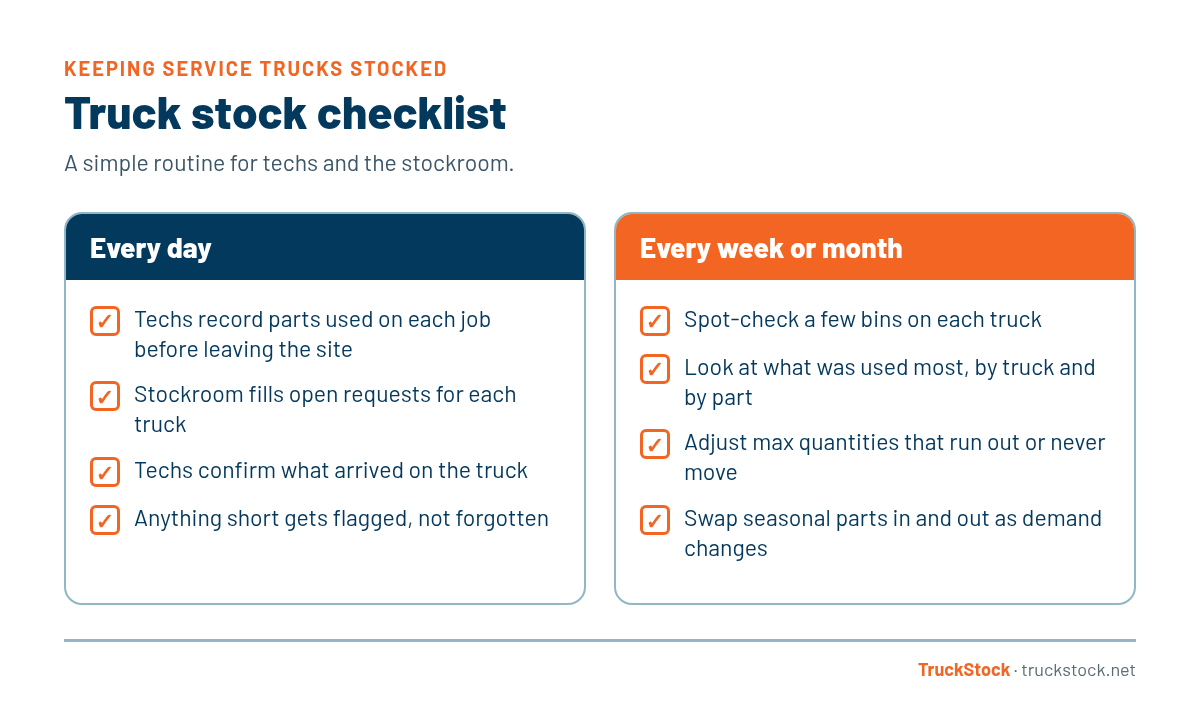
A short daily list keeps the loop moving, and a weekly or monthly review keeps your max levels honest. For the stockroom side, see our fulfillment best practices for warehouse managers.
How TruckStock Handles It
TruckStock is built around this exact loop. Here’s how each step works:
- Truck types with max quantities. Admins set up a parts list and max for each kind of truck, then assign trucks to it. Lists can be imported from a CSV file.
- Requests from the phone. Techs pick the parts they used and submit. Each part shows on-hand against max (for example, 6/10) and flags anything already on order.
- One-step fulfillment. Managers see open requests grouped by truck, pull from a stockroom, or use “Fulfill All In Truck” to send everything at once.
- Receiving. Techs confirm what arrived, and the truck’s count updates automatically.
It runs in any web browser, and techs can add it to their phone’s home screen so it opens like an app.
Key Takeaways
- Give every truck type a standard parts list with a max for each part.
- Record usage at the job, on a phone, while it’s fresh.
- Restock on a regular schedule, usually daily.
- Have techs confirm what arrived so counts stay accurate.
- Review your max levels every month or season.
Frequently Asked Questions
How often should service trucks be restocked?
Most busy fleets restock daily, so each truck starts the morning ready. Smaller or slower fleets may restock two or three times a week. The key is a set schedule, not restocking whenever someone remembers.
What should be on a standard service truck stock list?
The parts your techs use most often on common calls, based on your own job history. Each type of truck (HVAC service, plumbing, electrical) should have its own list, and every truck of that type should carry the same one.
Do I need software to keep trucks stocked?
No. A shared list and a clipboard routine can work for a very small fleet. As you add trucks and techs, software makes it easier to record usage on a phone, see what each truck needs, and keep counts accurate without manual tallies.
If you’d like to see this routine in action, you can start a free TruckStock trial. It comes loaded with sample trucks, parts, and requests so you can click around right away. Or contact our team and we’ll walk you through it.
Recent Comments