

To set up the starting inventory for a new service truck, assign it a truck type with a standard parts list and max quantities, pull those parts from the stockroom, and load the truck section by section. Then have the technician confirm what’s on the truck so its starting count is accurate from day one.
Adding a truck is a good problem to have. It’s also the easiest moment to get a truck right, because you’re starting from empty. Skip the setup and that truck will be different from every other truck in your fleet, which makes everything harder later. We talked about why consistency matters in why every service truck is a rolling warehouse.
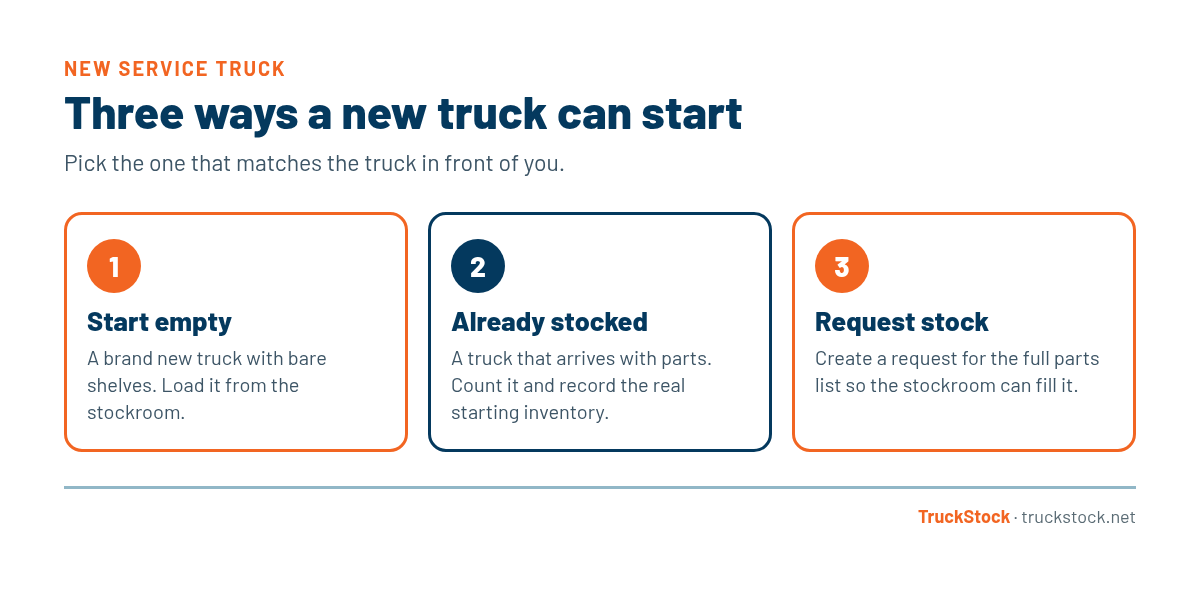
Three Ways a New Truck Can Start
Not every new truck starts the same way. Most fall into one of three situations:
How to Stock a New Service Truck, Step by Step
1. Pick the truck type
Decide what kind of work the truck will do: HVAC service, plumbing, electrical, install, or something else. The truck type sets the parts list and max levels. If you don’t have truck types yet, here’s how to scale with multiple truck types.
2. Check the stockroom first
Before you start pulling parts, make sure the stockroom has enough to fill a whole truck without leaving the rest of the fleet short. A new truck can take a lot of stock at once.
3. Load the truck in a standard layout
Put parts in the same place they go on every other truck of that type. A tech who covers for someone else should be able to find a part without asking.
4. Confirm the count
Have the technician check off what was loaded. This sets an accurate starting count, and it gives the tech a quick tour of their truck.
5. Assign the truck and the tech
Record who’s responsible for the truck. From there, the daily routine takes over, like the one in how to keep service trucks stocked.
It also helps to think about timing. If you’re adding several trucks at once, for a new hire class or a new branch, stagger the loading so the stockroom can keep up. Ordering ahead for a batch of new trucks is much easier than trying to fill them all from normal stock levels in a single week.
Common Mistakes When Stocking a New Truck
- Stocking from memory instead of from the truck type’s standard list.
- Loading the truck in a different layout than the rest of the fleet.
- Assuming a used or transferred truck matches your standard without counting it.
- Draining the stockroom to fill one truck and leaving other trucks short.
- Skipping the tech’s confirmation, so the starting count is wrong from day one.
How TruckStock Handles It
- Three starting options. When you add a truck, choose Start empty, Already stocked, or Request stock. Request stock creates a request for the truck type’s full list so the stockroom can fill it.
- Truck types with max levels. The truck type sets the parts and max quantities, so a new truck matches the rest of its group.
- Changing a truck’s job. If a truck moves to a different truck type later, TruckStock asks whether to empty it or request stock for the new type.
- Responsible person. Each truck can have a person responsible for it, and trucks are deactivated, not deleted, so history isn’t lost.
Key Takeaways
- Assign every new truck a truck type before you load it.
- Check that the stockroom can fill the truck without shorting others.
- Load parts in the same layout as other trucks of that type.
- Have the tech confirm the starting count.
- Record who’s responsible for the truck.
Frequently Asked Questions
What if a used truck comes in already stocked?
Count what’s actually on it, record that as the starting inventory, and then fill the gaps against the truck type’s list. Don’t assume it matches your standard.
Should a new technician get a fully stocked truck?
Yes. A new tech has enough to learn without hunting for missing parts. Starting them on a fully stocked, standard truck sets good habits early.
How long does it take to stock a new service truck?
It depends on the size of the parts list and how ready the stockroom is. Having a standard list and a stockroom that’s already staged makes it much faster than pulling parts from memory.
Can I copy another truck’s inventory for a new truck?
It’s better to use the truck type’s standard list than to copy another truck, because individual trucks drift over time. The standard list is the version of “full” you actually want.
Adding trucks this year? Start a free TruckStock trial to see how new trucks get set up, or reach out to our team.
Recent Comments