

When truck counts don’t match the system, start by recounting the part to rule out a simple mistake. Then check recent activity, including parts used, restocks sent and received, and transfers, to find where the gap came from. Correct the record to match the truck, and fix the step in the process that caused it so it doesn’t happen again.
Every fleet runs into mismatches. The goal isn’t zero mismatches. It’s finding them quickly, fixing them without drama, and learning from them. A gap that’s caught in a day is easy to explain. One that’s found six months later at a full count is mostly a mystery. That’s why spot-checks matter, as we covered in reducing lost and missing parts.
Where Mismatches Usually Come From
- A part was used but never recorded.
- A restock was sent but not received, or received but not confirmed.
- A part was borrowed by another truck without a transfer.
- A part was returned to the stockroom without a record.
- The last count was wrong.
How to Resolve a Mismatch, Step by Step
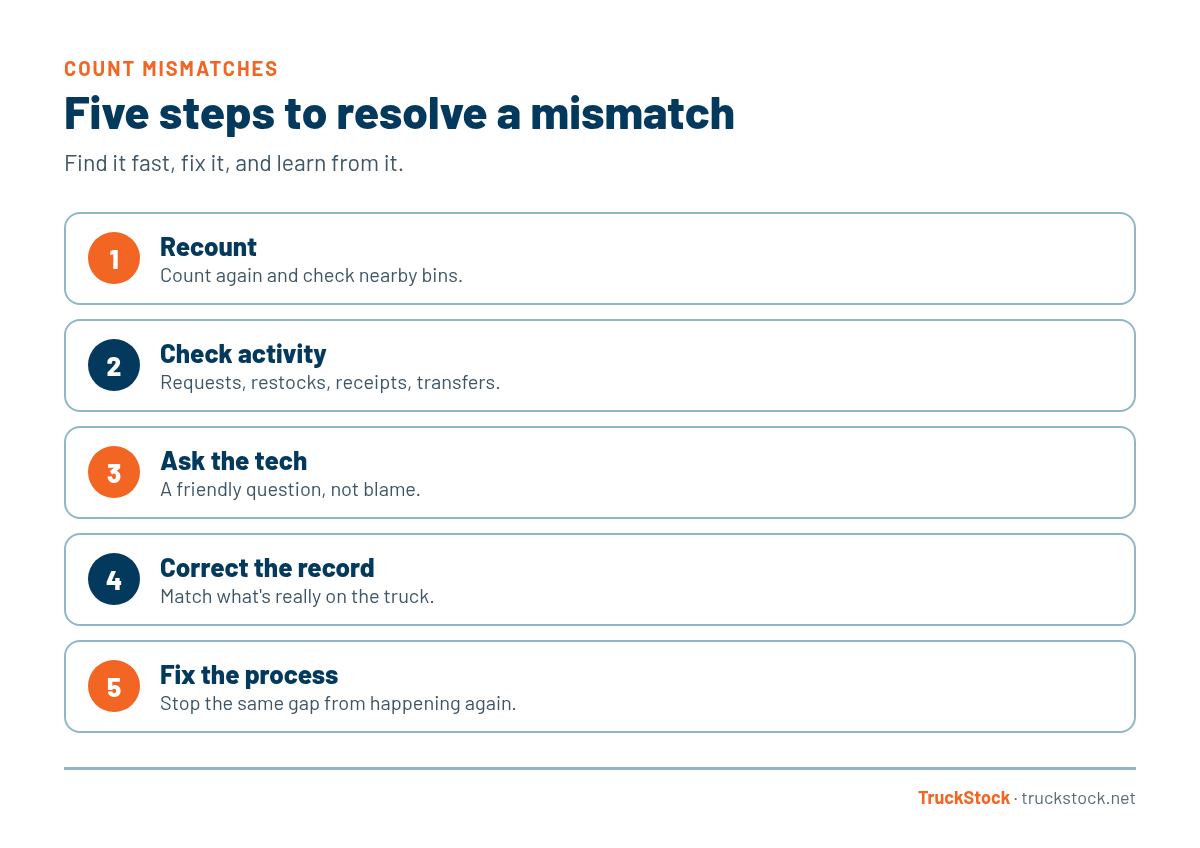
1. Recount
Before anything else, count again, carefully. Check other bins nearby, because parts sometimes land in the wrong spot. A surprising number of mismatches disappear here.
2. Check recent activity
Look at the last few weeks of requests, restocks, receipts, and transfers for that truck and part. Is there a restock that was sent but never received? A request without a matching job? A transfer that was sent but not accepted?
3. Ask the tech
Often the tech knows right away: “Oh, I gave two to Mike last week,” or “I used one on a warranty job and forgot to log it.” Keep it a friendly question, not an accusation. People are more helpful when they don’t feel blamed.
4. Correct the record
Once you know what happened, or you’ve done your best to find out, update the count to match what’s really on the truck. An accurate record going forward matters more than a perfect explanation of the past.
5. Fix the process
This is the step that pays off. If the gap came from an unrecorded transfer, remind the team how transfers work. If restocks aren’t being confirmed, make that part of the routine. Each fix makes the next mismatch less likely.
A Quick Example
Say the system shows four contactors on a truck, but there are only two. The tech checks the activity and sees a restock of two that was sent last week but never received. A quick look in the stockroom staging area finds them, still waiting. The parts go onto the truck, the tech confirms the restock, and the count matches. The fix for next time is simple: check staging before the end of each day. The daily routine in how to keep service trucks stocked covers this.
Common Mistakes
- Correcting the count without trying to find the cause.
- Treating every gap as theft.
- Waiting for the annual count to investigate.
- Changing the record without telling the tech.
- Fixing the number but not the process.
Keep the Conversation Positive
How you handle mismatches shapes how your team feels about the whole system. If every gap leads to blame, techs start avoiding the system or quietly fixing numbers themselves. If gaps are treated as normal and fixable, techs will point them out early, which is exactly what you want.
A simple habit helps: when you find a gap, share what caused it and what changed to prevent it. Over time, the team sees that mismatches lead to better processes, not punishment, and the counts get more accurate on their own.
How TruckStock Handles It
- Clear activity. Requests, fulfillment, receiving, and transfers are each recorded, so you can trace what happened to a part.
- Pending requests and transfers. See what’s been sent but not yet received or accepted, which is where many gaps hide.
- Edit inventory. Admins can correct a truck’s count directly once the cause is understood.
- Bulk corrections. After a larger count, download the truck’s inventory to Excel, update it, and upload it back with a review step.
Key Takeaways
- Recount before you investigate.
- Check recent requests, restocks, and transfers.
- Ask the tech in a friendly way.
- Correct the record to match the truck.
- Fix the process step that caused the gap.
Frequently Asked Questions
How much of a mismatch is normal?
Small gaps happen in every fleet. What matters is catching them quickly and seeing them shrink over time as the process improves.
Should I correct the count if I can’t find the cause?
Yes. Keeping the record accurate going forward is more important. Make a note of it, and if the same part keeps coming up, dig deeper.
Who should be allowed to correct truck counts?
An admin or manager, ideally with the tech involved, so everyone knows what changed and why.
How do I prevent mismatches in the first place?
Record usage at the job, confirm every restock, make transfers two-sided, and spot-check regularly.
Want counts you can trust? Start a free TruckStock trial or contact our team.
Recent Comments